
Manual: How to Stream to Bongacams
Why Streamster?
Streamster is a free broadcasting software for Windows. It can be used for live streaming, multistreaming and screen recording. Being popular among web-models, Streamster provides the best video quality and gives great possibilities for the live stream customization (image layouts, multiple camera streaming, Lovense layout, built-in VPN and many more). Streamster’s cloud-based multistreaming (restreaming) feature allows you to stream your video to Bongacams and other platforms at the same time.
1. Setting up an external encoder on Bonga
1.1. Log in to your BongaModels account.
1.2. Press the “Start Broadcasting” button.
1.3. In Tabs under the streaming screen choose the External Encoder (1) and copy your Stream Key (2).
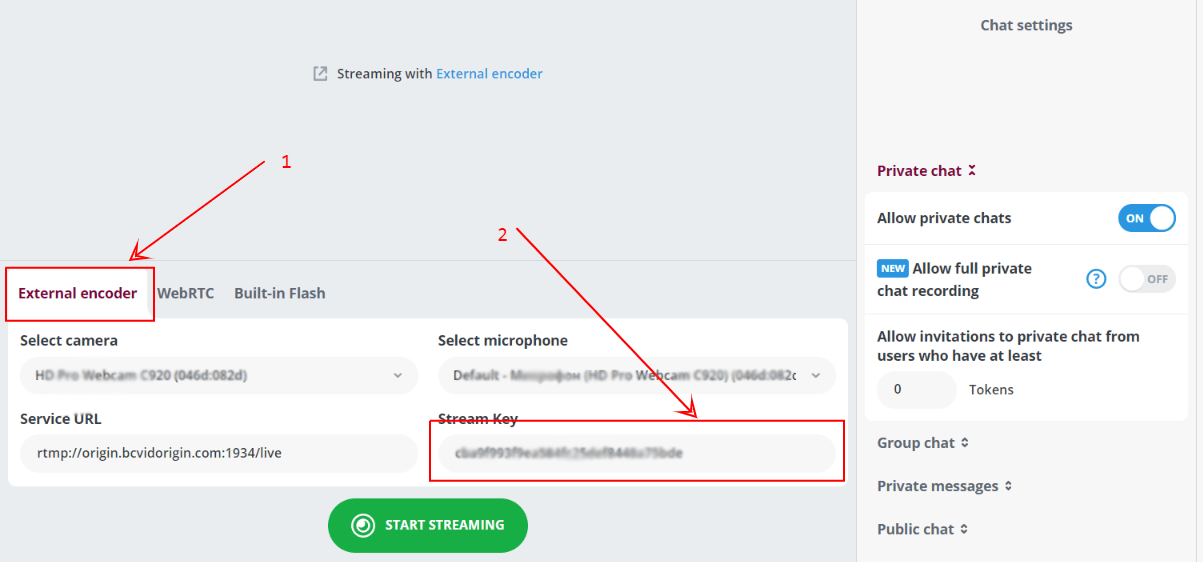
1.4. Press the “Start Streaming” button under your stream key.
2. Setting up the Bongacams channel in the Streamster app.
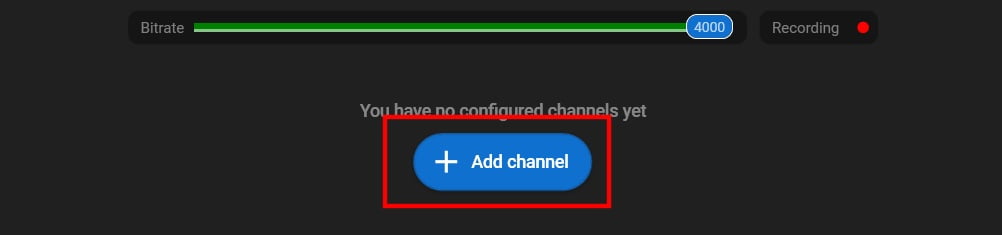
2.1. Click “Add channel” button.
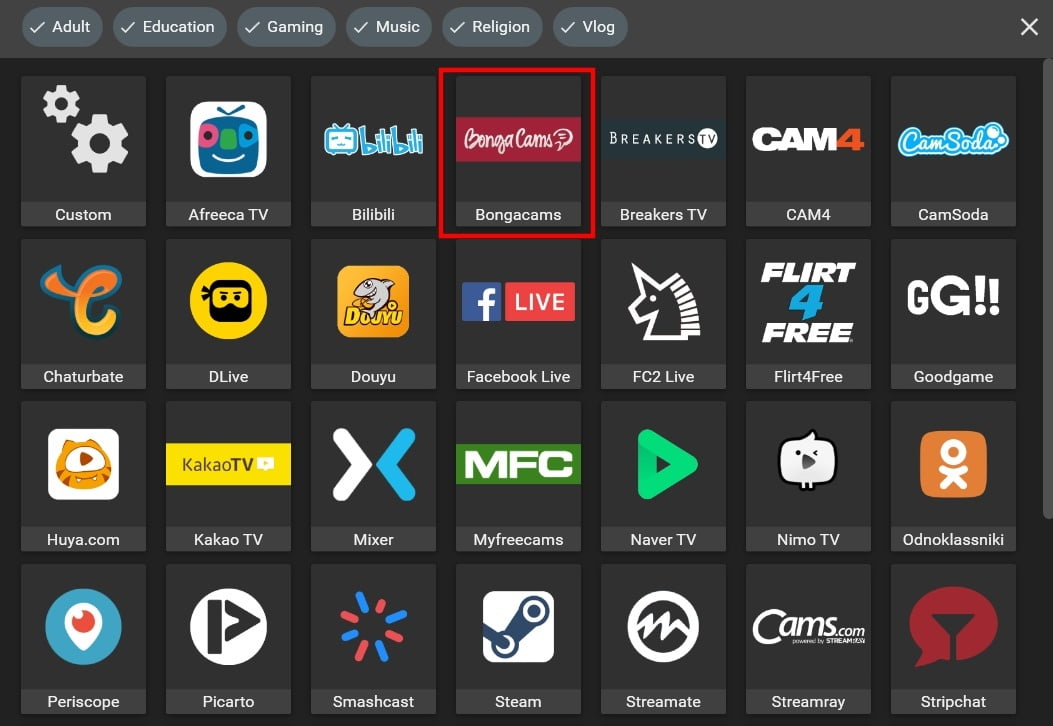
2.2. Select the “Bongacams” logo.
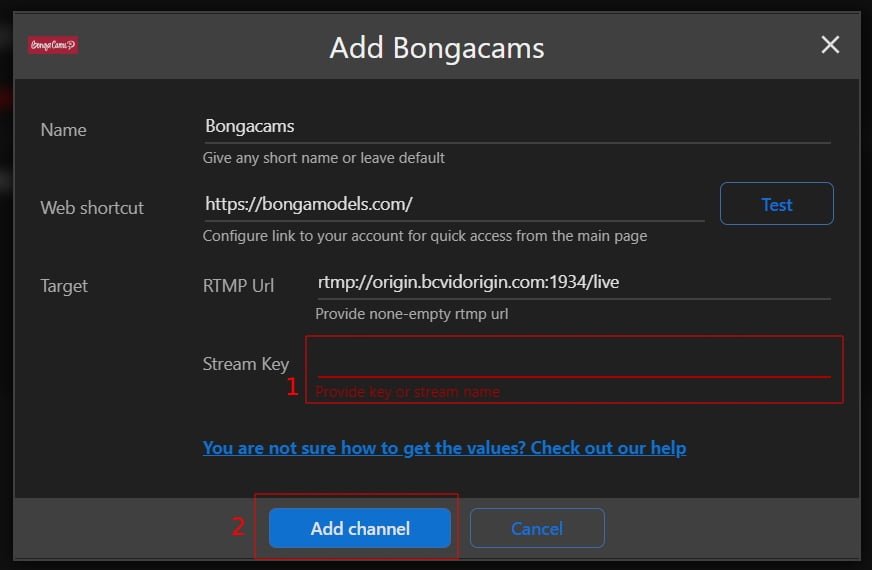
2.3. Paste your Stream key (1) and click the Add channel button (2).
2.4. Launch the live stream on the platform.
Struggling to Set Up Your Cam Stream? Get expert guidance with MoreTips and start earning more
More articles:
- Advantages of using Streamster for cam models
- How to stream to Chaturbate and Bongacams at the same time
- How to make the skin smoother on the live stream video
- How to stream to blocked websites
- How to add Lovense overlay to the live stream
Looking for more info about setting up live streams for cam models?
Check out guides for newbies and experienced performers on Camgems. Video preferences explanations, stream overlay guides, mobile and desktop streaming and much more information for the cam model career success.