
Kiiroo Toys Live Stream Setup
Kiiroo is a well-known brand that designs interactive sex toys and devices, often focused on creating realistic, immersive, and connected experiences for users. These toys can be controlled remotely via Bluetooth and apps, making them popular for both long-distance intimacy and interactive streaming.
For cam models, Kiiroo toys are an excellent way to boost viewer engagement and earnings. Once connected to a streaming platform, these toys can respond to tips, creating real-time reactions that make shows more interactive and fun. The connection between performer and audience feels closer and more personal, encouraging fans to tip more frequently.
Why use Streamster?
Streamster is a powerful live streaming app that makes it easy for performers to broadcast to multiple platforms simultaneously. It’s trusted by thousands of creators, including cam models, who want to deliver high-quality streams and maximize income. Now, with built-in Kiiroo support, performers can: connect their Kiiroo toy directly in Streamster and add an interactive tip menu overlay to their live show.
Stream to Chaturbate, Stripchat, CamSoda, Cam4, MFC, SinParty and more — with seamless toy integration. No extra apps, no complicated setups. Just a few clicks and you’re ready to go. For a more detailed guide, please visit this page.
Setting Up a Kiiroo Toy
1. Download and open the Streamster app (creating an account is optional, but it unlocks additional features).
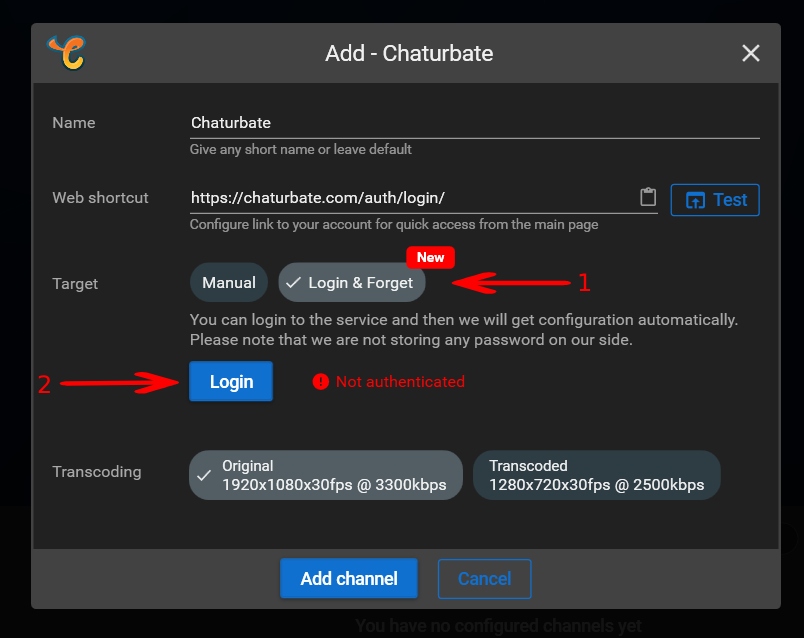
2. Connect your cam site account in the “Targets” tab.
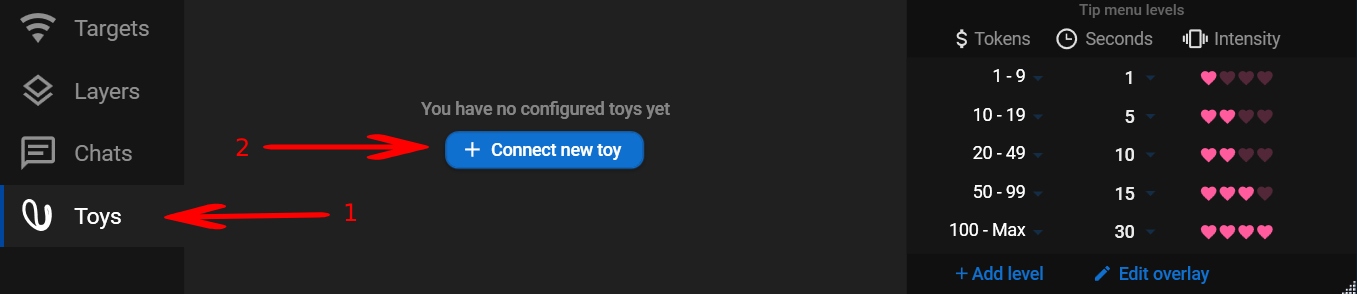
3. Switch to the “Toys” tab and click “Connect new toy”. You’ll need a built-in Bluetooth adapter or an external connector.
4. Turn on your Kiiroo toy, wait until it appears in the list, and select it
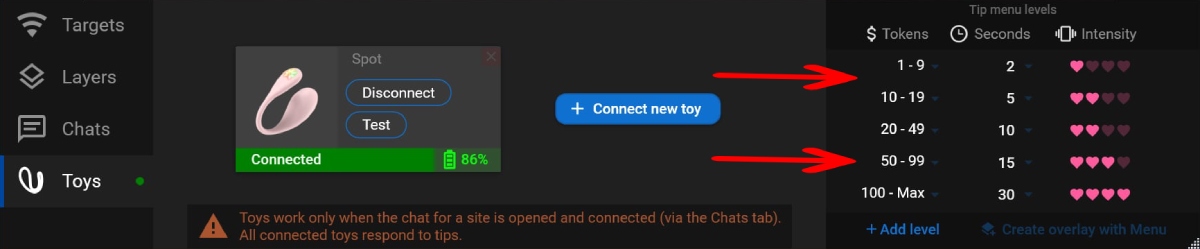
5. Once connected, set vibration levels and responses based on tips (duration, intensity, number of tokens).
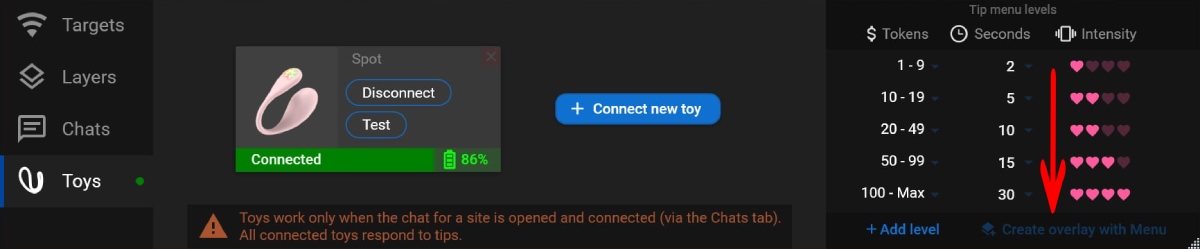
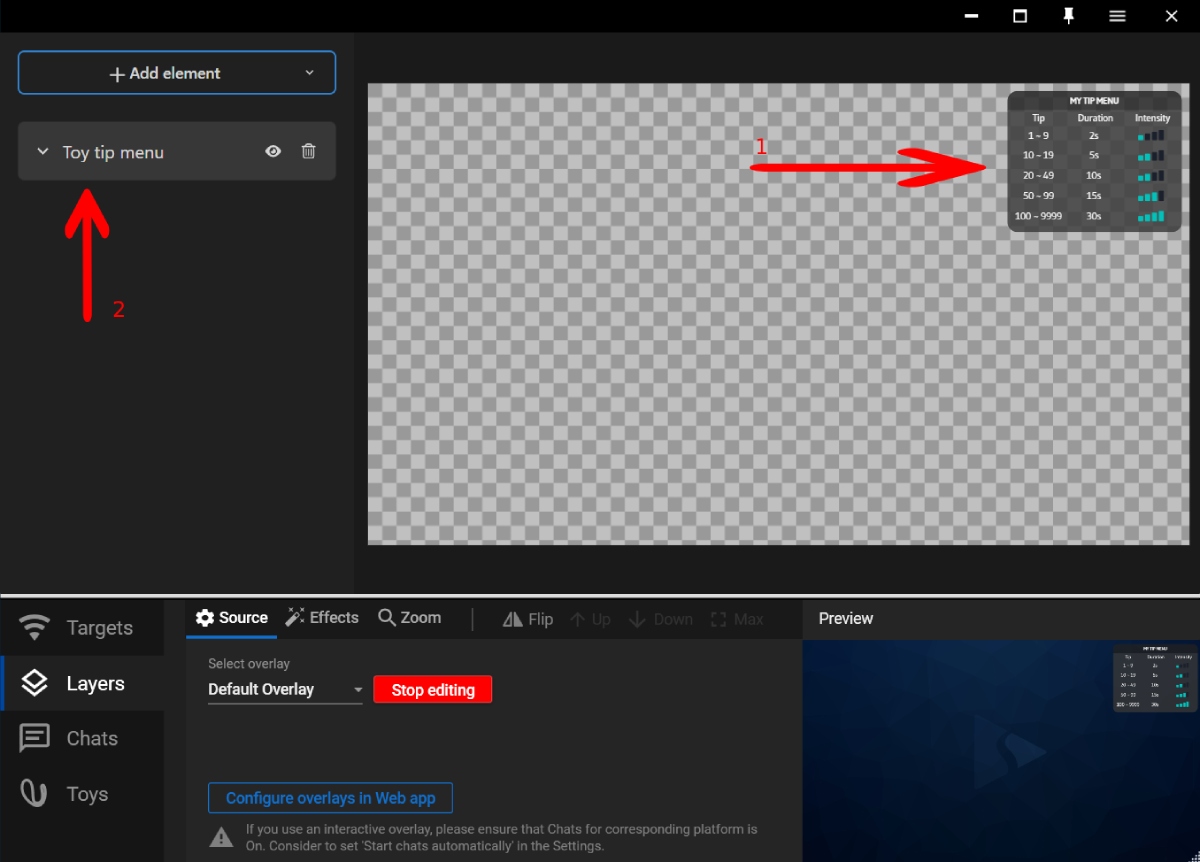
6. Add an overlay with a tip menu to your stream and place it where you want.
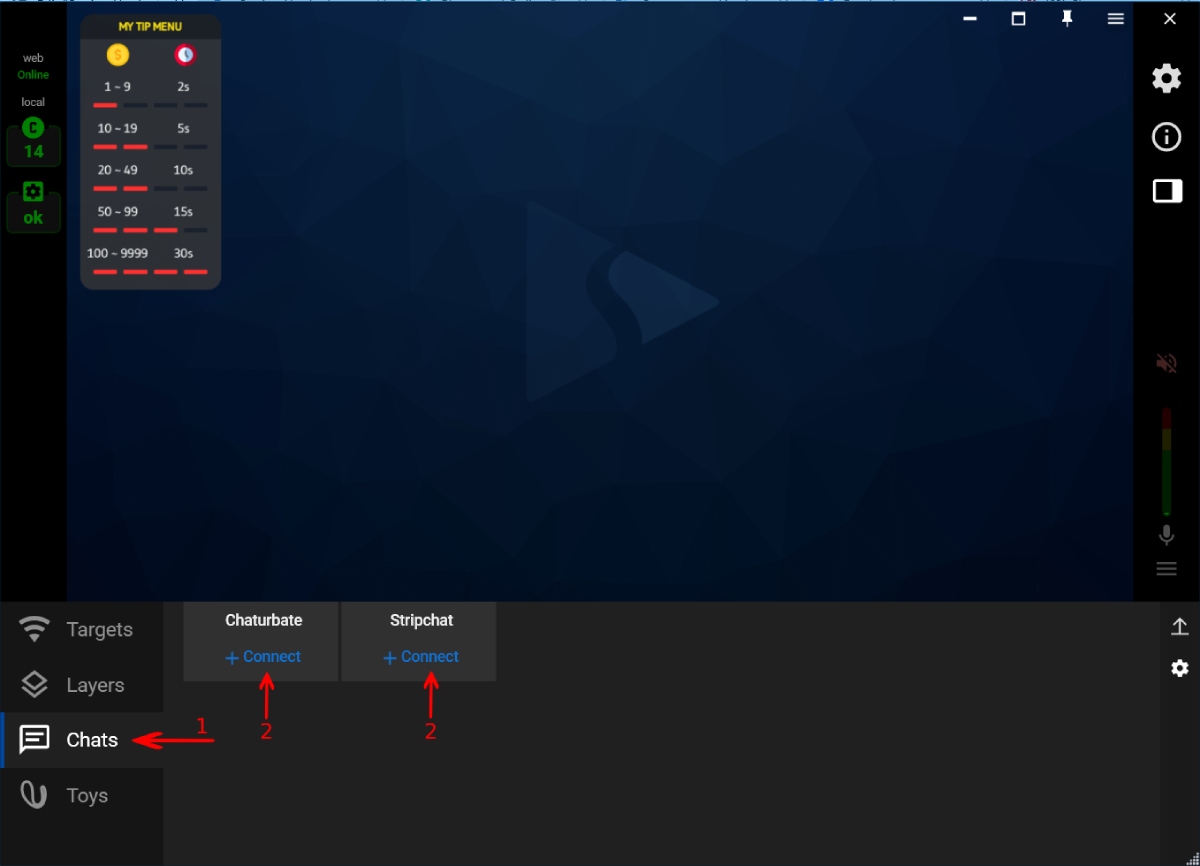
7. Go to the “Chats” tab and connect the platforms where you want your toy to react.
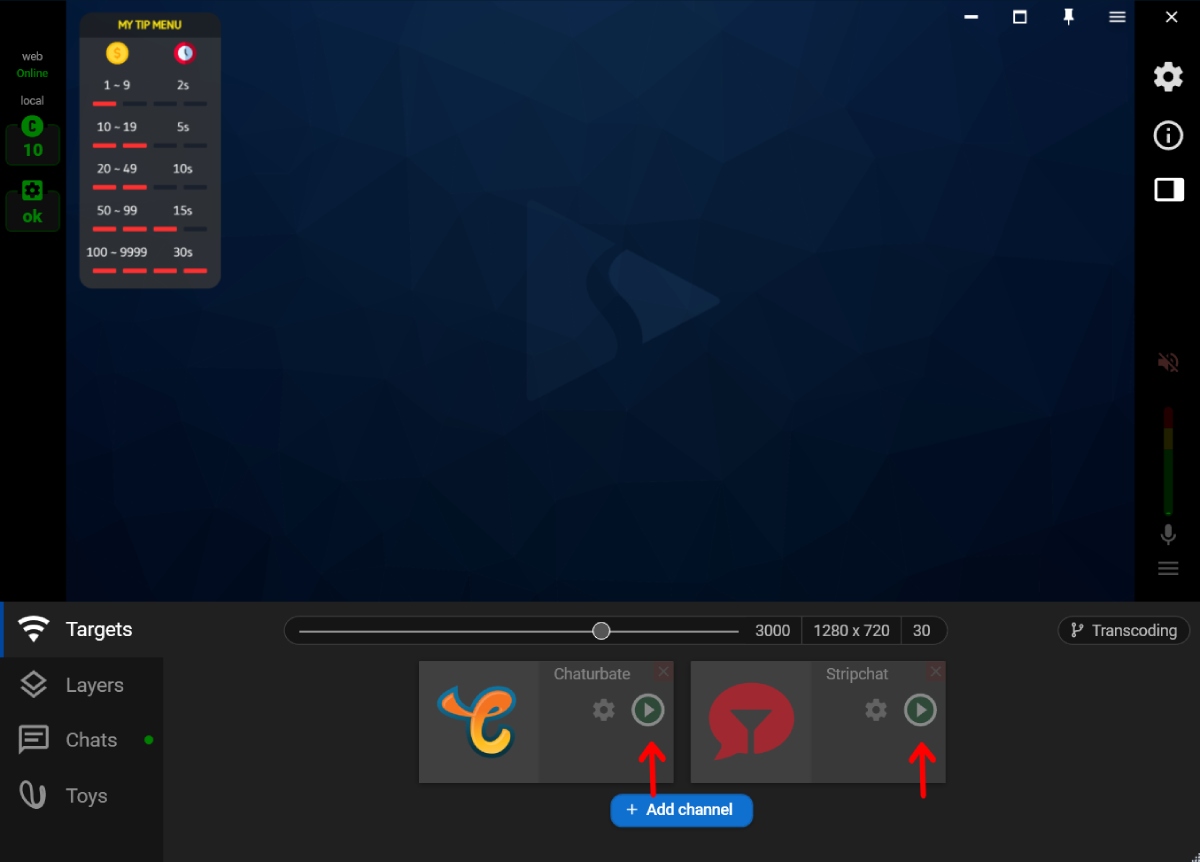
8. Start streaming and let the fun begin.

Looking for more info about setting up live streams for cam models?
Check out guides for newbies and experienced performers on Camgems. Video preferences explanations, stream overlay guides, mobile and desktop streaming and much more information for the cam model career success.