
Manual: How to Broadcast to Twitch With Streaming Software
Why Streamster?
Streamster is a live broadcasting app, designed to create a perfect live stream and deliver it to multiple platforms at once with cloud-based technology. It is available for Windows users and is popular among gamers, performers, influencers and other content creators from all over the world. With Streamster streamers are able to broadcast to Twitch and other platform at the same time.
1. Set up the external encoder on Twitch
1.1. Log in to your Twitch account, open the user menu, and choose the Channel section.
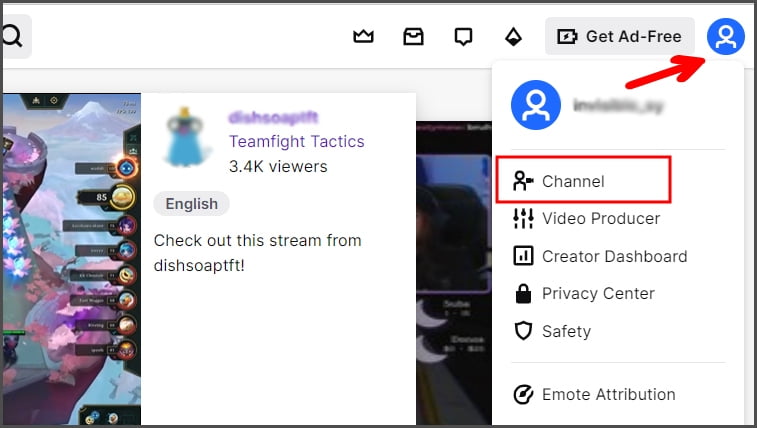
1.2. Click the “Edit” button.

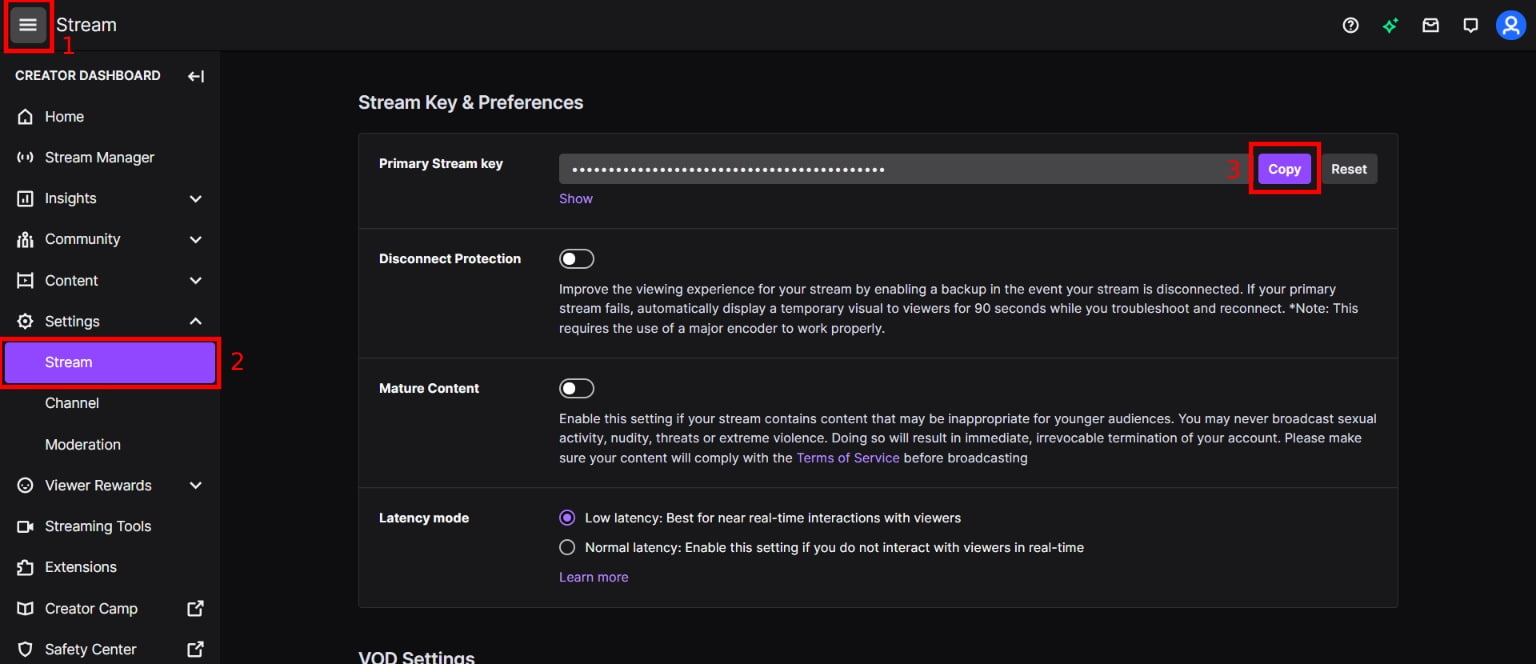
1.3. Open the main menu (1), choose “Settings” – “Stream” section (2), and copy the Stream Key (3).
2. Set up the Twitch channel in Streamster
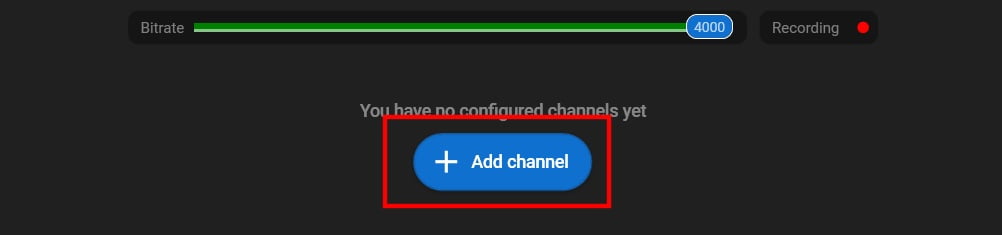
2.1. Click “Add channel” button.
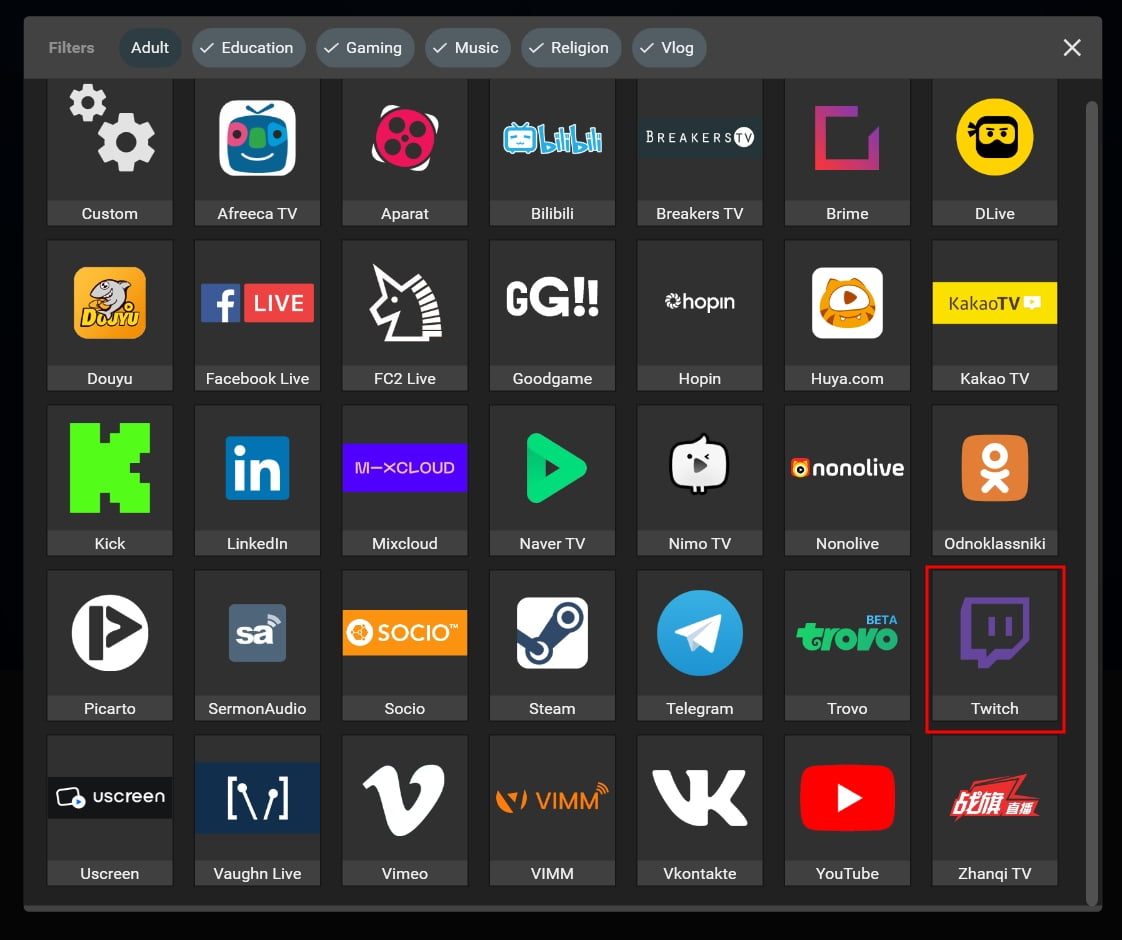
2.2. Select the “Twitch” icon.
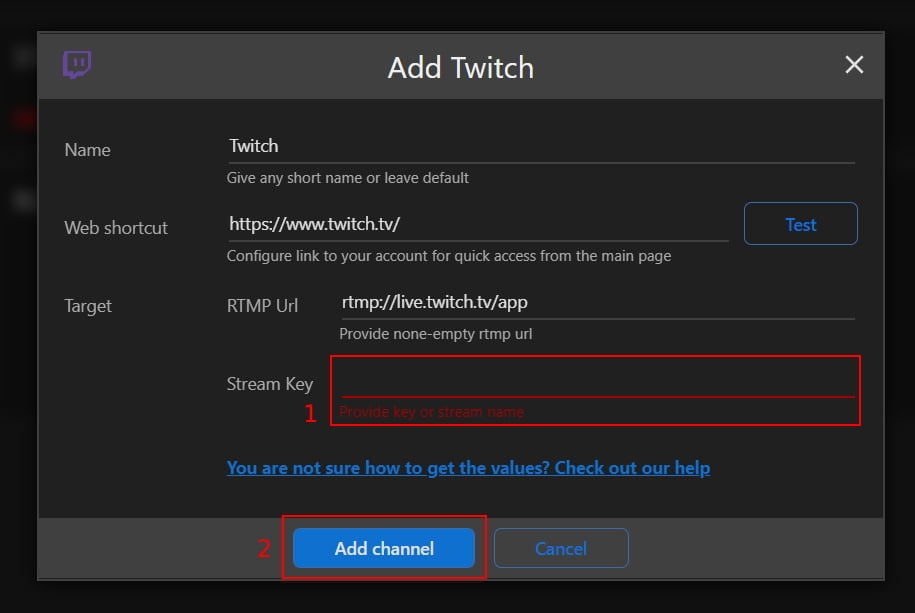
2.3. Paste your stream key (1), and click the Add channel button (2).
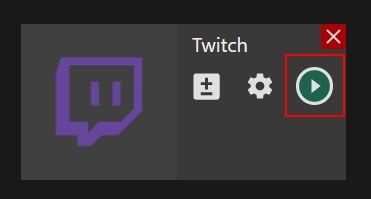
2.4. Start your live stream on the platform.
More articles:
- How to multistream to Youtube with streaming software
- How to multistream to Facebook with the Stream key
- Desktop streaming application
- How to stream the sound from the PC and from the mic simultaneously
- How to add the watermark (image overlay) to your live stream