
How to Stream to Blocked Websites?
Why Streamster?
Certain streaming platforms may be clocked in the certain countries, so streamers are compelled to use VPN services to broadcast there. But the live stream needs stable connection and not all of thems meet users' expectations. Streamster is a live streaming app (for Windows) that has built-in VPN feature. It ensures stable HD live streams and availible in all paid pricing plans.
How to activate VPN in Streamster?
1. Download and install Streamster app for Windows.
2. Create the Streamster account, log in with your credentials, and choose any paid pricing plan.
3. Activate/deactivate the VPN connection by clicking the button on the right from the bitrate slider.

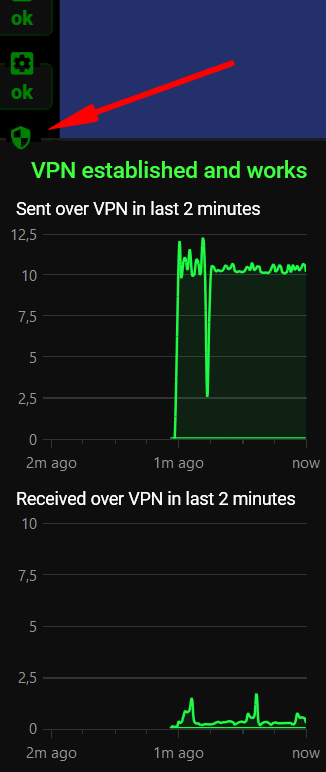
4. If needed, click on the VPN indicator to check your connection health.
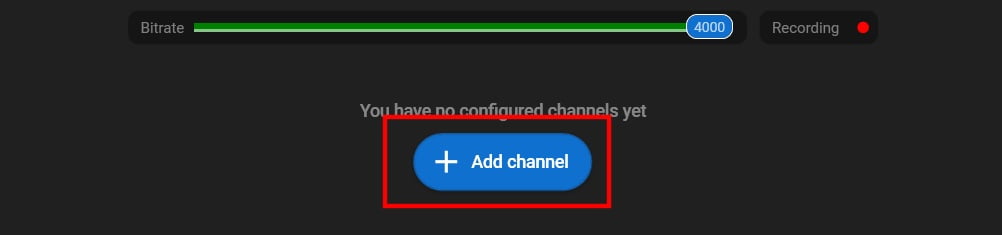
4. Click the “Add channel” button to set up live stream channels.
More articles:
- How to make the skin smoother on the live stream video
- How to zoom in/out on a live stream
- How to add the watermark (image overlay) to your live stream
- Advantages of using Streamster for cam models
- VPN for live streaming